Can I use a Powerwall in one Tesla user account to Charge on Solar into a Tesla car that’s in a different Tesla user account?
@joehuber the Powerwall and the vehicle must be accessible from a single Tesla account, as Charge HQ only allows linking to a single Tesla account.
Thanks for the confirmation and very clear explanation.
Guess I’ll think about whether it’s possible to use an OCCP charger to accomplish something similar.
We have one Tesla account with the Powerwall3 and one Tesla 2013 vehicle. We have another Tesla account with a Tesla 2020 vehicle. (Wife wants to keep her own account) Maybe I could replace our Tesla Wall Connector with an OCCP charger and find a way to have ChargeHQ do Charge On Solar to any car that connects to the OCCP charger???
Might that work?
@joehuber the best option is probably to share the 2020 Tesla with the account that has the Powerwall. Your wife can keep using her own account as normal, and your account would now have access to both vehicles, and the Powerwall.
Be aware that Charge HQ doesn’t provide the best experience when there are multiple Tesla vehicles. You have to switch between them manually every time. See this page for more info: Using Charge HQ with multiple EVs or Chargers
I took the approach of creating a separate ChargeHQ account for my wife, and linked it to her Tesla account which contains her car and shared access to our Powerwall.
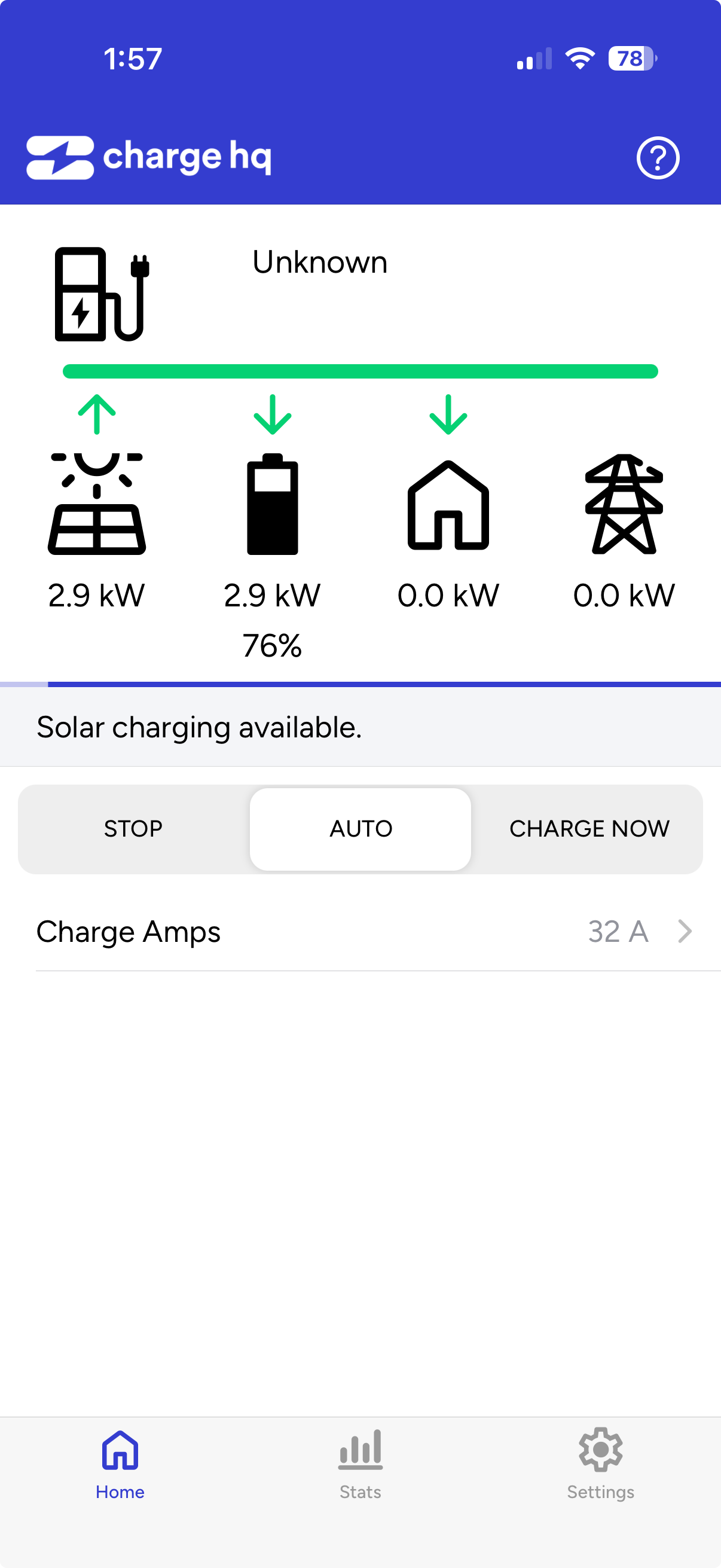
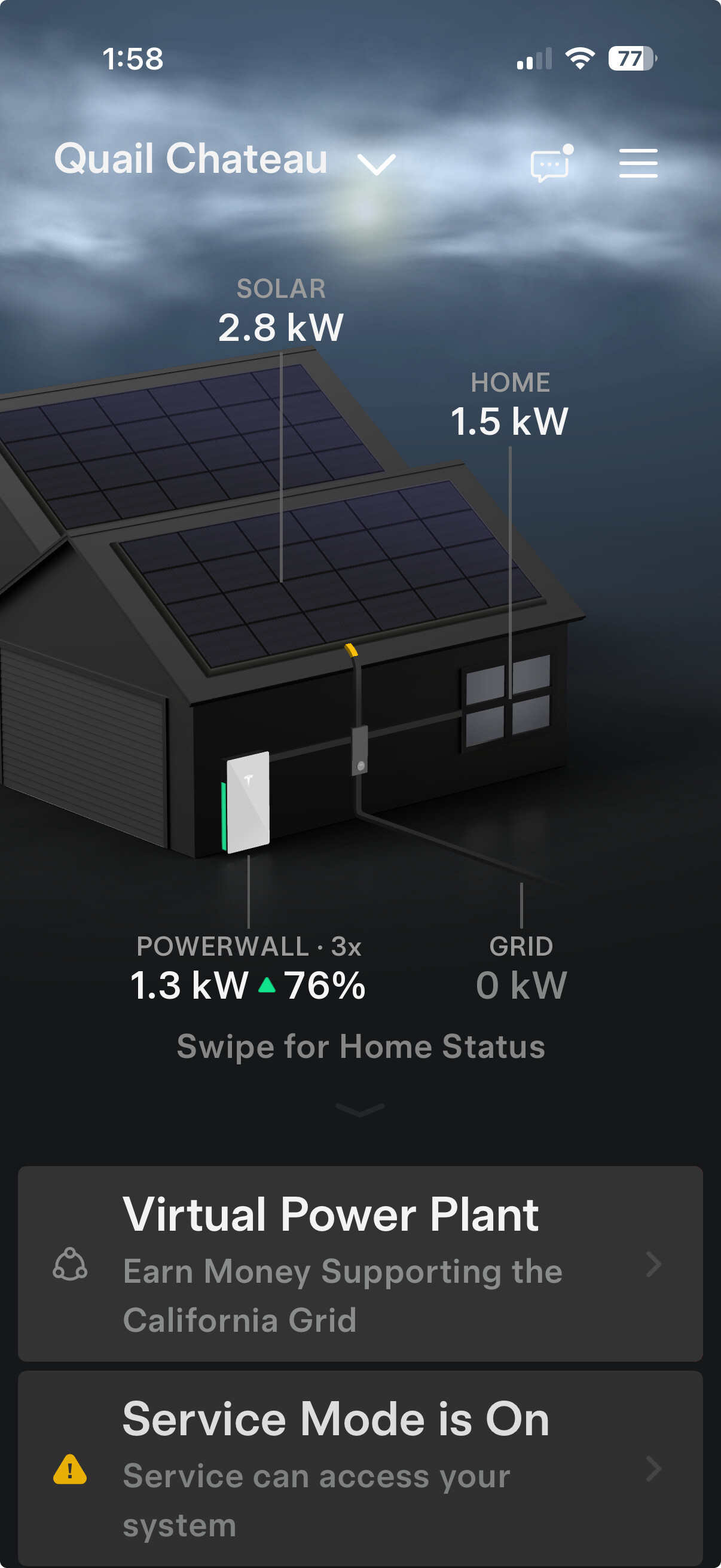
At first things seemed to be working, but looking further there are two problems. The ChargeHQ app sees the Solar generation and SoC from the Powerwall OK. But it sees zero consumption for the House when it should show around 1.5kW, and so ChargeHQ displays the wrong level of power going to the Powerwall. I’m not sure what it thinks the key Excess Solar figure would be…
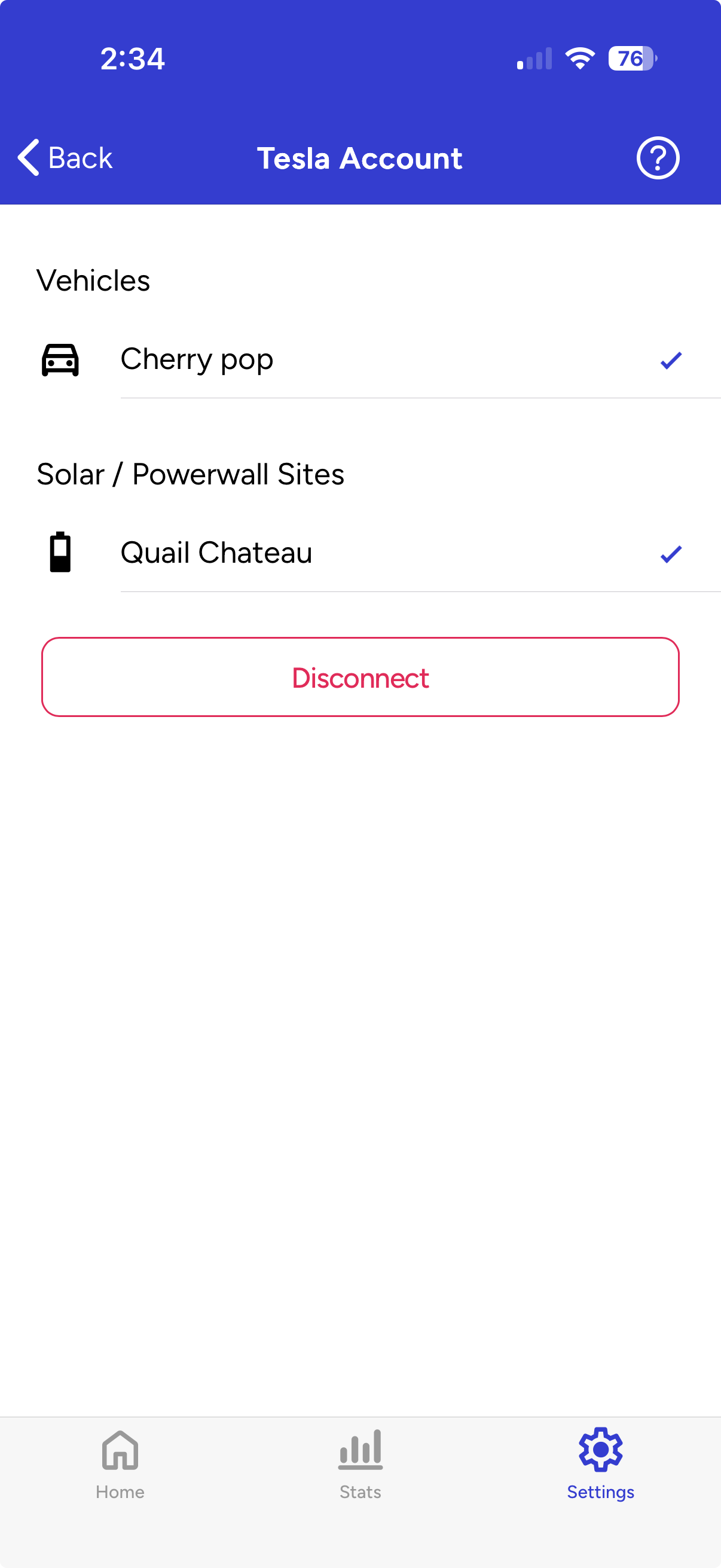
Secondly ChargeHQ says it can connect to my wife’s car and it does come up with the right nickname in the Vehicles area of the Tesla Account page. But in the Dashboard it labels the car as unknown, and doesn’t allow me to set the Home location in Settings even after attaching the charge cable several times.
What can we do to make her account fully operational?
Beloiw are screen shots of the ChargeHQ and the Tesla app taken at very close to the same time.
Hi Joe. Are you still having issues? I had a quick look at your account and can’t see any obvious problems. If things are still not working, please let me know the date and time and I can investigate.
Cheers,
Jay.
Jay Thanks for checking. It did seem to be working OK the following day, without me doing anything to correct it. I still need to set the location and verify the Charge on Solar functionality but everything up to that point seems OK.

