Update:
The problem appears to have been the firmware and/or hardware of the Wallbox Pulsar Plus.
The working model is a PUP2 shipped with firmware v6.7.21 assembled in 10/2025. The non-working charger is a PUP1 shipped with 6.8.5 assembled 08/2025. Odd that the newer version has the older firmware.
Related, the Bluetooth problem turned out to be a problem with the factory restore I attempted using the internal buttons. It turns out that almost all the instructions on the web are incorrect. They tell you to press and hold SW201 (CM RESET) and SW202 (RESTORE), release SW202 after 3 seconds, and release SW201 10 seconds later. That is the wrong order. Releasing RESET and then RESTORE with the same timing worked for me.
Original:
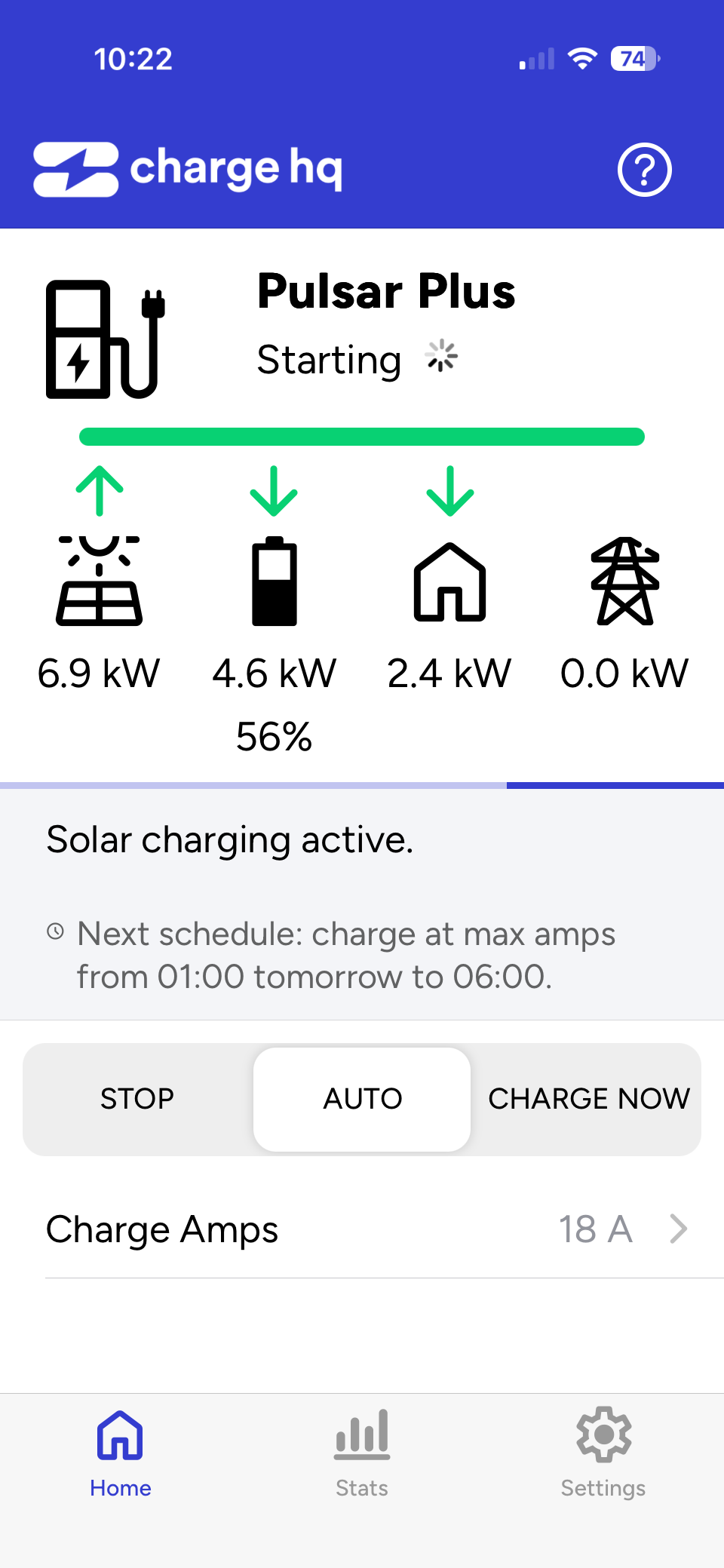
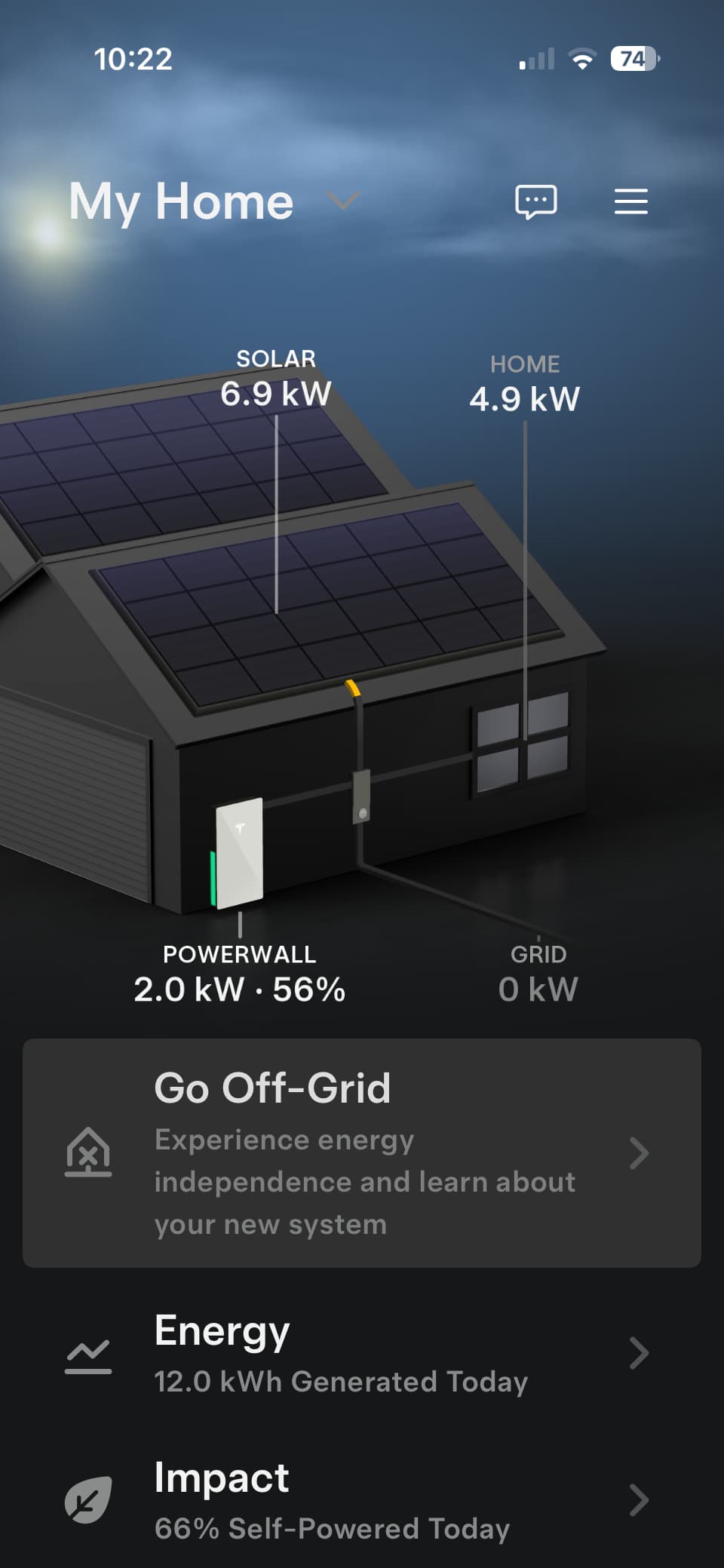
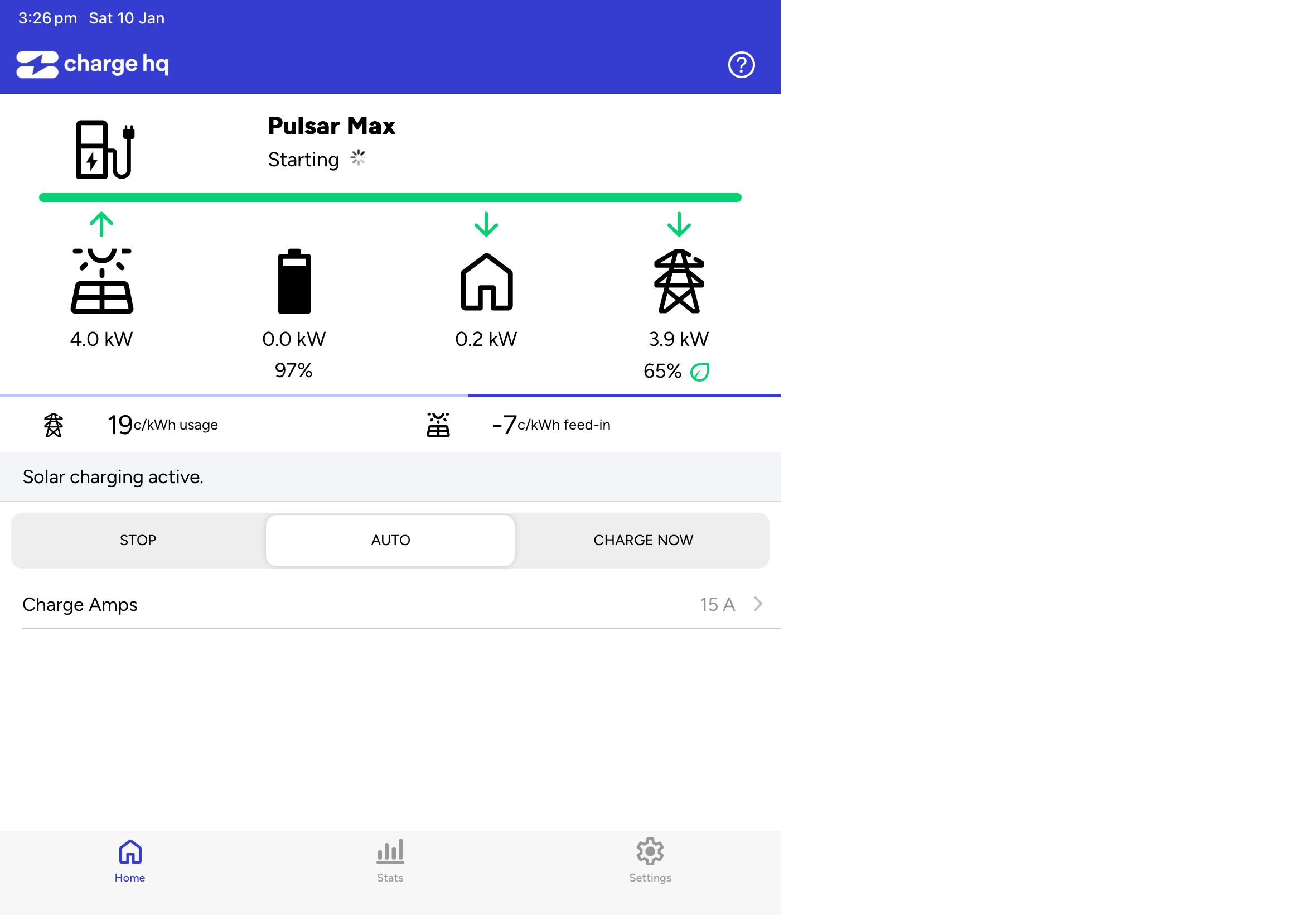
When charge on solar begins, the ChargeHQ app shows “Starting” and stays that way with the wheel spinning continuously. When this is happening, the vehicle is actively charging, but none of the statistics update correctly - for example, the power shown as sent to the grid doesn’t reduce or home increase when the charger starts even though I can see those have changed in the Tesla app.
I am using a Wallbox Pulsar Plus. Everything had been working correctly until yesterday when I swapped out my EVSE (one Wallbox Pulsar Plus for another after the Bluetooth stopped working in the first one).
I read the forums and did everything I can think of from restoring my Wallbox to factory settings, cycling OCPP, disconnecting my EVSE and Telsa from the ChargeHQ app and reconnecting them, even creating a new ChargeHQ account and relinking with a new EVSEID.
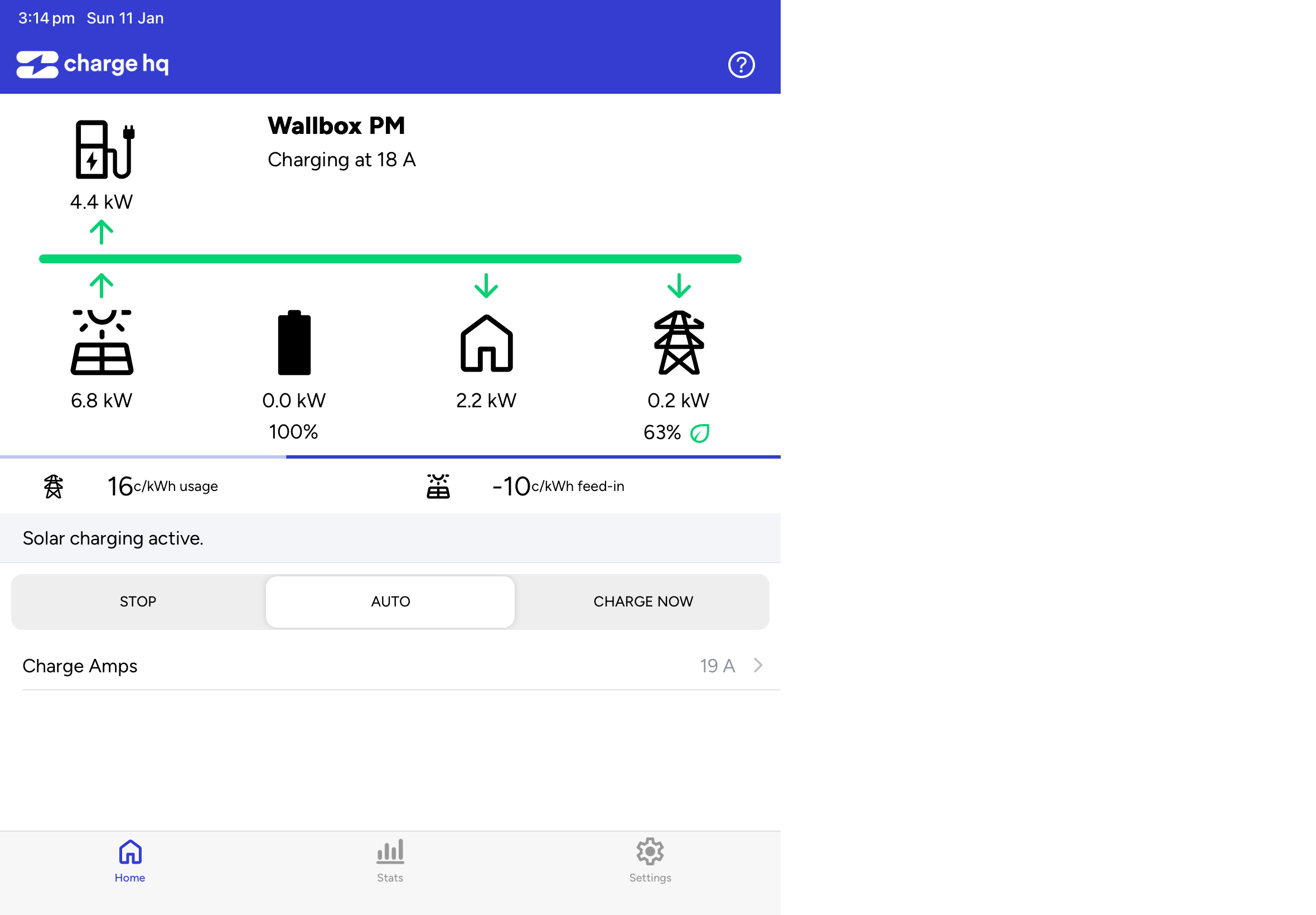
The following pictures shows my Powerwall still charging even though the Tesla app show power redirected to my home. As soon as I unplug the EVSE from my car, both apps are back in sync.
I wouldn’t go so far is to say I got it working. I had to use a different version of the Wallbox (PUP2). Does Charge HQ not work with Wallbox Pulsar Plus PUP1 or is it firmware 6.8.x that is the problem? I assume it is hanging up because Charge HQ isn’t receiving/processing the Start confirmation message from the Wallbox. Any way to make this work with PUP1?
@18rabbit we have both PUP1 and PUP2 units connected to Charge HQ, including many PUP1 with 6.8.x firmware.
There is a known issue where Wallbox chargers stop responding to commands via OCPP. AFAIK this impacts all models and all firmwares from the last year or so. It is usually resolved by a reboot.
The problem you describe, where data stops flowing, is not known to us as a systematic issue. Perhaps it was unique to your particular unit and firmware install?
I guess we’ll never know since I returned the PUP1. I rebooted it multiple times. I updated the firmware. I restored it to the original firmware. I connected it to two different vehicles. I even signed up for a different Charge HQ account.
Charge HQ was able to set the initial current and have the WallBox start charging my EV, but then the Charge HQ app would just hang in the ‘Starting’ state even though the vehicle was actively charging. At that point, Charge HQ couldn’t ratchet the current up or down as solar output changed and couldn’t even update the solar production, home use, or any other data from the Powerwall. The only thing the Charge HQ app would allow me to do was stop charging by clicking Stop…
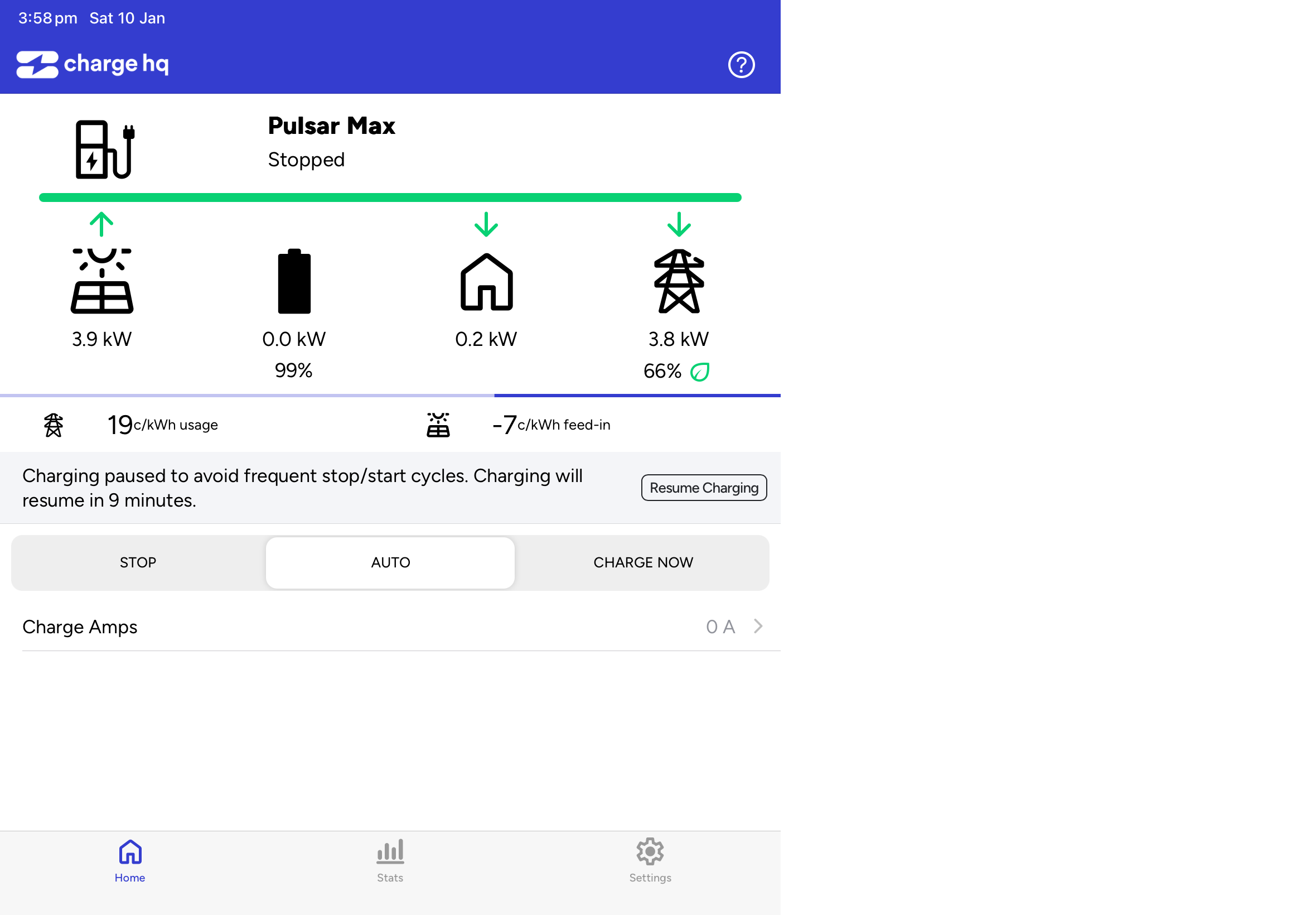
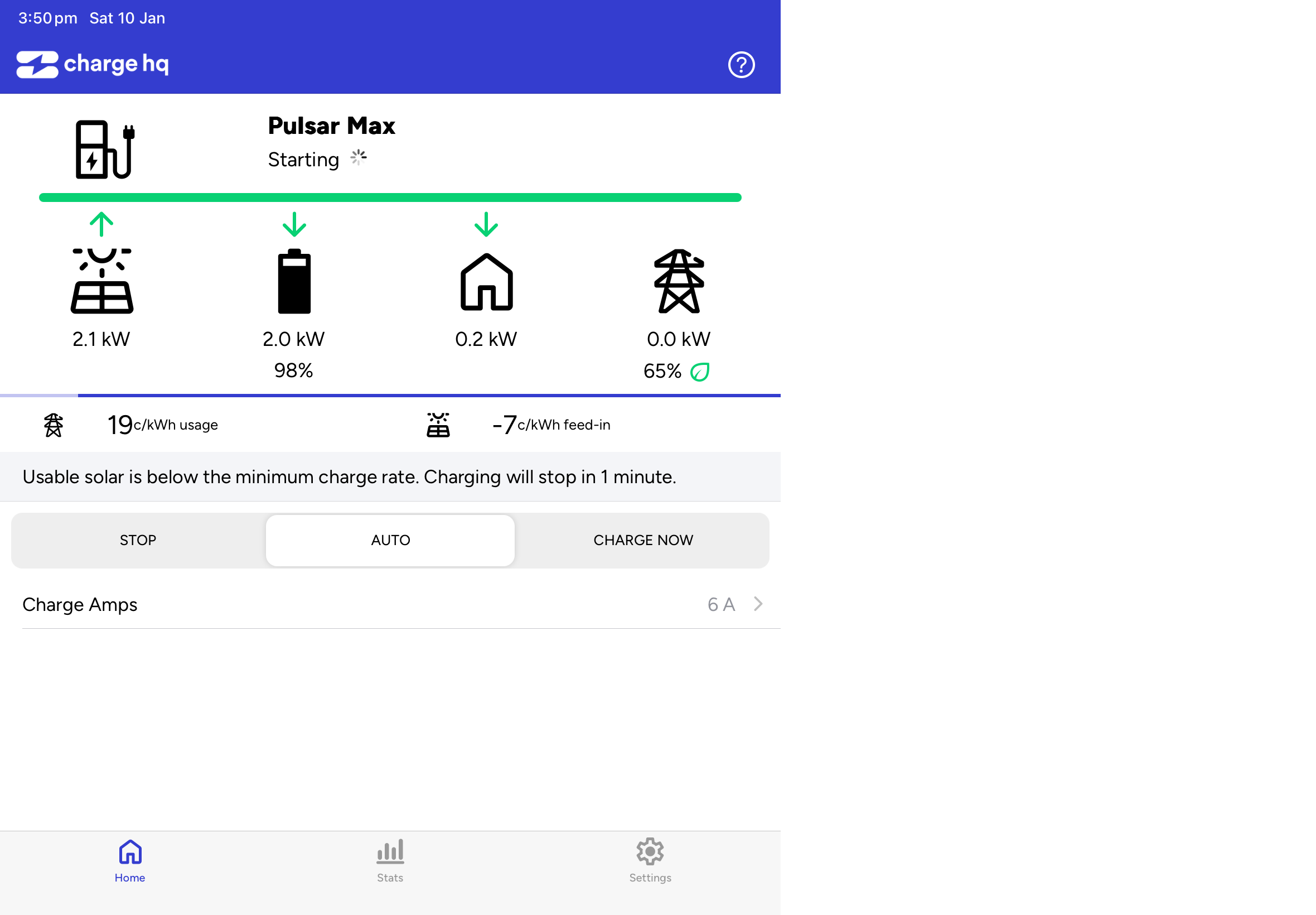
Hi Jay, I seem to have the same issue with a Pulsar Max. I had a replacement EVSE from Wallbox and have unlinked the old one. I have rebooted and also tried changing the EVSEID, but ChargeHQ is stuck on “starting” even though charging starts and stops under manual control. Any suggestions?
Thanks David
I do not know of a fix other than swap the Wallbox again.
I rebooted, restored the firmware on the Wallbox, changed the EVSEID, and set up a new Charge HQ account. Nothing worked. Charge HQ told me they have many of the exact same version of the Wallbox Pulsar Plus (PUP1) running the same firmware without problems. I ended up switching to a different Wallbox Pulsar Plus (PUP2) which runs different firmware and it works flawlessly.
Hmmm, it took me a month to get Wallbox to replace the old unit under warranty, so not much chance of getting another one. Thanks for the info about the reset, I will try that, and maybe Jay has aome other ideas.
@davidhuck have you been charging your EV today (10 Jan)? The data shows the Wallbox going to Charging status, but:
there is no meter data coming from the Wallbox
the solar / battery flows do not show any increase in consumption.
This suggests that either:
the EV is not actually charging, ie no power is flowing, or
the Wallbox is installed on a circuit “outside” of the battery’s energy monitor, ie the solar/battery monitoring can not “see” the EV charging (see this page for more info)
Hi Jay, yes it’s been charging today, a 2 hour charge now session and solar charging since 3pm Melb time. The EVSE is wired ouside the Powerwall consumption meter so the Tesla app does not see the consumption. While solar charging the charge amps are varying to align with the available solar so everything seems to be working except Charge HQ is stuck saying “starting” and is not recording the charging stats.
Sorry if I confused everyone. Probably because I initiated this thread, I am getting emails and assumed the questions were addressed to me. I see DavidChuck is answering and posted screenshots.
@davidhuck thanks for your reply. The logs shows that your Wallbox is returning an unusual-looking response to the OCPP GetConfiguration message. Many of the expected keys are missing, including some related to MeterValues messages, which are the messages that are not being sent.
In the Wallbox app, have you disabled all power-management features, and checked any settings that might be having an impact? I don’t have a Wallbox charger handy to find the settings to suggest.
Thanks Jay, i just restored the Wallbox and updated it again, and no change. There are 3 energy settings and all say “no meter detected” but there is no switch to disable them. I also tried reconnecting the Wallbox to Charge HQ with a new EVSEID but no joy. Have run out of ideas.
Hi again, it’s working now! I followed the manual reset procedure (thanks @18rabbit) and left the FW at the original version. Will leave it to run for today, and try a FW update later to make sure that is not the issue. Cheers
It was! Likewise, very frustrating exercise and not impressed with the Wallbox SW, a factory reset from the app should sort out this sort of problem without having to open the box and press buttons.
Your just lucky the Wallbox instructions for the factory restore were correct. Releasing them in the order indicated for my Pulsar Plus put it into a state where I could no longer connect to Bluetooth to set it up again (repeating series of 3 green flashes). I thought it was bricked. I found one Facebook post where the order was reversed and gave that a try - magic.
I ran into the same issue too. I just got a PUP1. I cannot remember the factor firmware, but I upgrade to 6.8.12. When I try starting the charge with with Charge Now or Auto, it starts and get stuck in the “Start” status. It also does not send the power usage data, so the power data is being lumped with the house usage data.